
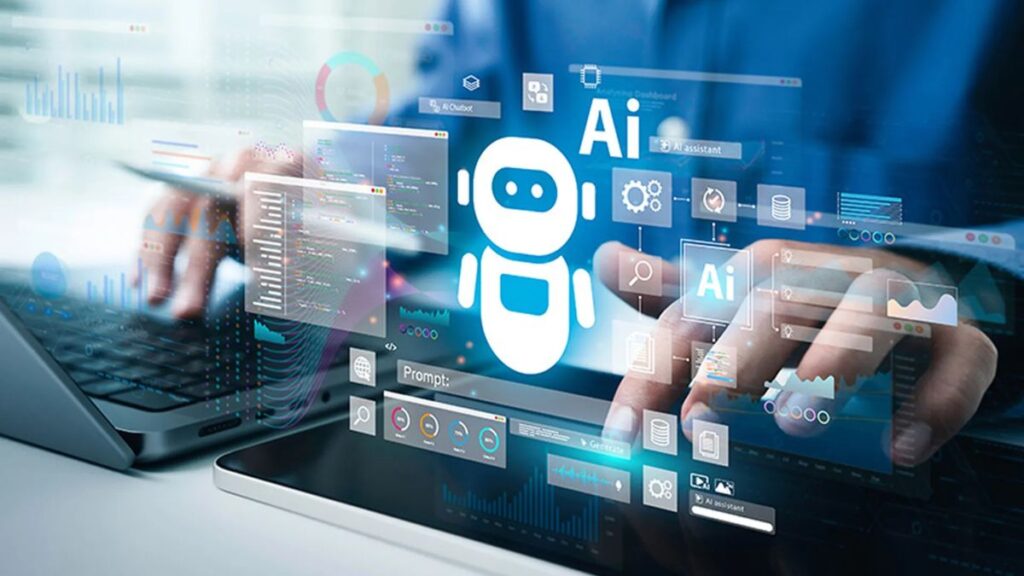
Imagine opening your laptop in the morning and instantly seeing everything your business needs: customer trends, sales predictions, campaign performance, support bottlenecks, and next-step recommendations. No spreadsheets. No manual digging. Just clarity.
That is exactly what modern businesses are chasing. And with the surge of AI dashboards and intelligent agents, it is finally possible.
Today, AI has moved far beyond chatbots. It analyzes signals, takes action, collaborates with other systems, solves tasks, and even recommends strategy shifts you might otherwise miss. Companies using an Artificial Intelligence Dashboard now operate with a level of precision, automation, and speed that simply wasn’t possible five years ago.
In this article, we’ll explore the explosive rise of AI dashboards and agents, how they fit into the broader automation movement, and why understanding how to create an AI agent from scratch is becoming a must-know skill for modern teams.
Let’s dive in.
Why AI Dashboards Are Becoming the New Command Centers
AI dashboards aren’t just another reporting tool. They are evolving into intelligent command centers that show what is happening and why it is happening, and what should happen next.
From static reports to predictive intelligence
Traditional dashboards show data.
AI dashboards interpret data.
This shift is massive. Instead of charts that simply show last month’s numbers, teams now get:
- Forecasts for next quarter
- Real-time anomaly detection
- Automated alerts for KPI changes
- Recommendations powered by machine learning
- Searchable insights through natural language queries
A modern Artificial Intelligence Dashboard becomes the place where managers, analysts, and operations teams make decisions with confidence.
Examples of real-world impact
- A retail brand uses AI dashboards to predict which items will sell out next month, reducing overstock and improving margins.
- A SaaS company analyzes support tickets in real time to detect issues before they go viral.
- A healthcare provider combines patient flow data and resource availability to optimize staff scheduling.
The common thread? AI isn’t just helping people work faster. It’s helping them work smarter.
AI Agents: The Workforce Behind the Scenes
While dashboards provide visibility, AI agents provide action.
AI agents are autonomous digital workers that can understand tasks, reason through solutions, and take action across platforms. Businesses increasingly want to know how to create an AI agent from scratch because agents are becoming the backbone of modern productivity.
What can AI agents do?
A well-designed agent can:
- Pull data from multiple systems
- Trigger workflows
- Respond to customers
- Qualify leads
- Resolve support tasks
- Generate reports
- Book meetings
- Coordinate with other agents
In platforms like Kogents, these agents collaborate through a mesh network that allows them to delegate tasks, escalate issues, and learn from each other.
Why this matters for growing businesses
AI agents are not tools. They are teammates.
They decrease the workflow burden on humans while increasing throughput, accuracy, and speed.
Businesses often deploy agents in:
- Sales operations
- HR automation
- Customer service
- E-commerce
- Healthcare workflows
- Education onboarding
- Logistics and tracking
The question isn’t whether companies will use AI agents.
The question is how fast they can build and scale them.
The New Formula: Dashboards + Agents = Full-Stack Intelligence
Great dashboards show what is going on.
Great agents take action on what the dashboard reveals.
When combined, they create a full intelligence loop.
How the loop works
- Data flows into the AI dashboard.
- Machine learning detects patterns.
- The dashboard recommends next actions.
- AI agents execute those actions automatically.
- The dashboard updates and verifies results.
This creates a self-optimizing ecosystem.
Example: Customer Support
- Dashboard detects rising ticket volume around a product issue.
- Agent automatically clusters related tickets.
- Agent drafts responses using the knowledge base.
- Supervisor approves with one click.
- Dashboard confirms reduction in wait times.
End result: faster resolution, lower workload, happier customers.
Why More Teams Want to Learn How To Build Agents Themselves
Many teams are now asking how to create an AI agent from scratch because out-of-the-box tools no longer match the complexity of their workflows.
What teams want
- Custom decision logic
- Multi-platform communication
- Integration with CRMs, ERPs, HR tools, calendars, and internal systems
- Domain-specific understanding
- Ability to collaborate with other agents
- Real-time reasoning, not static scripts
In simple terms, they want agents that behave like employees, not bots.
Where internal teams struggle
- Understanding the architecture of autonomous agents
- Choosing the right models
- Mapping decision trees into dynamic logic
- Securing and governing agent behaviors
- Connecting agents with dashboards and data systems
That is exactly why many businesses partner with platforms like Kogents to make agent creation simpler, safer, and scalable.
8 Game-Changing Use Cases for AI Dashboards and Agents
1. Lead Qualification at Scale
Agents analyze behavior, score leads, follow up, and book demo calls automatically.
2. Support Ticket Resolution
Agents categorize tickets, draft replies, escalate critical cases, and close resolved ones.
3. Workflow Automation for Operations
AI identifies bottlenecks and automates repetitive processes end-to-end.
4. HR & Employee Onboarding
Agents conduct orientation, send forms, manage compliance, and answer policy questions.
5. Marketing Analytics and Reporting
The Artificial Intelligence Dashboard consolidates campaigns, predicts performance, and suggests optimizations.
6. Healthcare Patient Coordination
Agents help with appointment scheduling, reminders, and medical questionnaire workflows.
7. E-commerce Personalization
Agents adjust product recommendations and influence real-time merchandising.
8. Finance and Billing Automation
Dashboards identify anomalies while agents handle invoice generation, reminders, and reconciliation.
Building an AI-Powered Workflow: What Businesses Need to Consider
1. Data quality
AI is only as good as the data it receives.
Clean, connected, well-tagged data is the foundation.
2. Right integrations
Agents must integrate deeply with the tools teams already use.
Examples:
HubSpot, Zendesk, Shopify, Calendly, Slack, WhatsApp.
3. Clear operational goals
Instead of vague goals like “improve support,” define measurable outcomes:
- Reduce ticket backlog by 40%
- Improve lead response from 2 hours to 5 minutes
- Automate 60% of HR inquiries
4. Governance and safety
AI agents need approval layers, monitoring, and ethical guardrails.
5. User training
Teams should know how the Artificial Intelligence Dashboard works and how agents make decisions.
The Future: Agent Networks Coordinated Through Unified Dashboards
The next evolution isn’t just individual agents.
It is hundreds of agents working together, visible through a unified AI dashboard.
This future includes:
- Multi-agent collaboration
- Automated cross-department workflows
- Real-time resource allocation
- Predictive alerts before issues occur
- Self-improving systems
Businesses that understand how to create an AI agent from scratch will be better prepared for this shift because they’ll know how each agent thinks, learns, and interacts within the mesh.
Conclusion: AI Dashboards and Agents Are Reshaping the Modern Workforce
AI dashboards show the story.
AI agents write the next chapter.
Together, they give businesses speed, clarity, and intelligence that scale far beyond human capacity.
If your organization wants to automate workflows, enhance decision-making, and elevate customer experiences, combining agents with a powerful Artificial Intelligence Dashboard is the fastest path forward.
At Kogents, we help companies build, deploy, and scale advanced AI agents that work across WhatsApp, Instagram, Slack, voice, and internal systems. We make it simple for teams to launch automations and understand how to create an AI agent from scratch without complexity or risk.
If you’re ready to build your intelligent workflow ecosystem, our platform can help you accelerate that transformation.
FAQs
1. What is an AI agent?
An AI agent is a software entity that can understand tasks, make decisions, and take action autonomously.
2. How do AI dashboards differ from traditional dashboards?
AI dashboards interpret data, generate predictions, automate insights, and trigger actions instead of simply visualizing static information.
3. Do I need technical skills to build an AI agent?
Basic understanding helps, but platforms like Kogents allow non-technical teams to build agents with guided workflows.
4. Can AI dashboards and agents work with CRM or support tools?
Yes. They integrate with tools like HubSpot, Zendesk, Intercom, Shopify, and more to create fully automated workflows.